Engineering · 01Control logic design
IntelliLogic 智控逻辑
AI-native control-logic design that ends in deliverable drawings.
Free during launch IntelliLogic is free for the launch period. A paid edition with later add-on features follows; nothing here needs an account or a key.
Version
0.60.1 Released
Platforms
macOS · Windows · browser
Build sizes
4.0 MB · 5.6 MB · 8.5 MB
Notations
FBD · CFC · SFC
01The problem
An editor built around the thing you hand over.
Most control-logic tools treat the drawing as an export. IntelliLogic treats it as the product: sheets with title blocks and numbering, cross-sheet links that resolve, and an interlock table that becomes logic instead of sitting beside it.
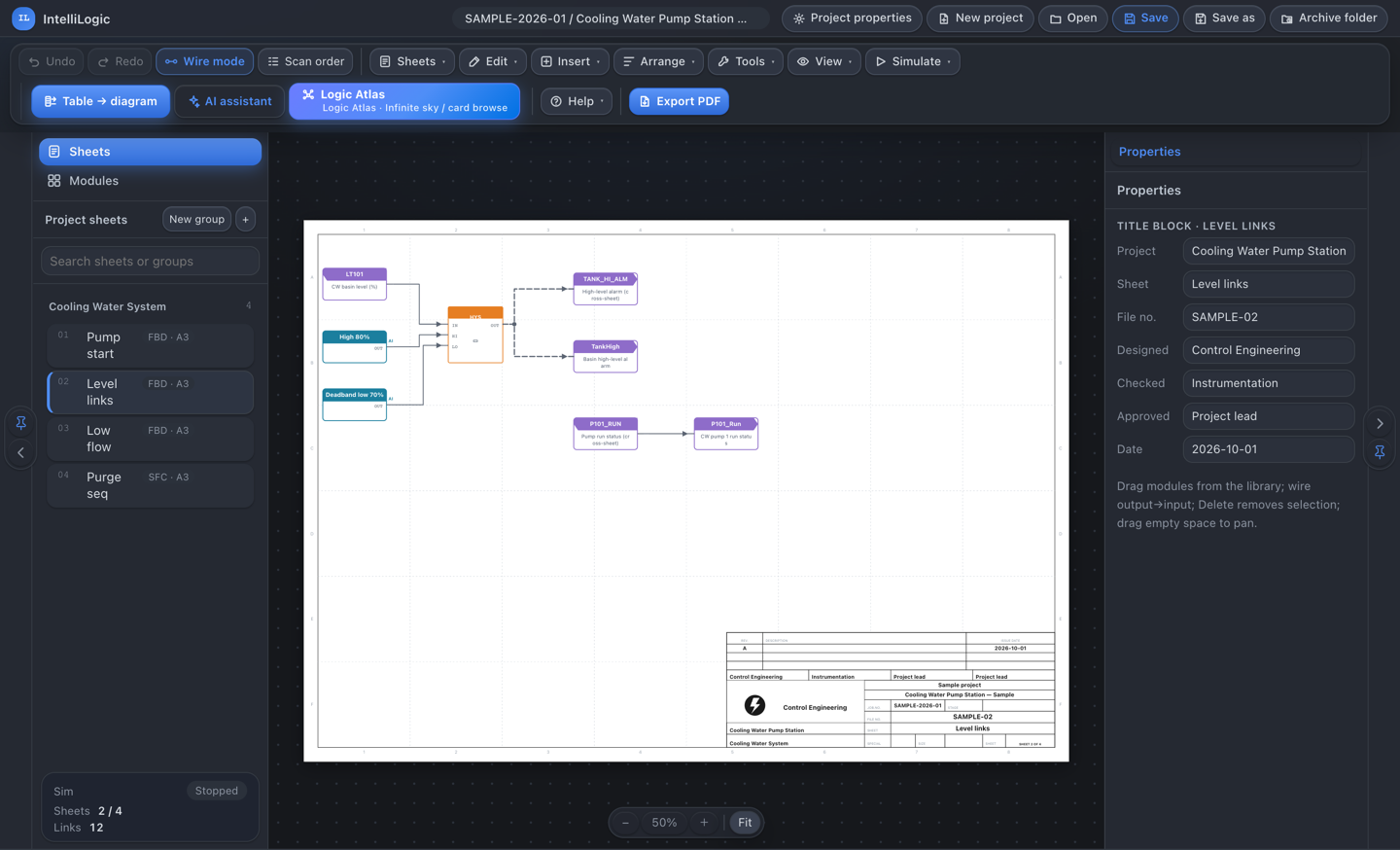
The editor is not a general diagram canvas with a plant skin. Blocks are typed, wires are orthogonal, and the metadata you enter at project level ends up in the title block without being retyped.
A4 · A3
Sheet sizes
4
Title-block styles
FBD · CFC · SFC
Notations
Multi-page
PDF output, internal links
02FBD / CFC
Wiring that stays orthogonal
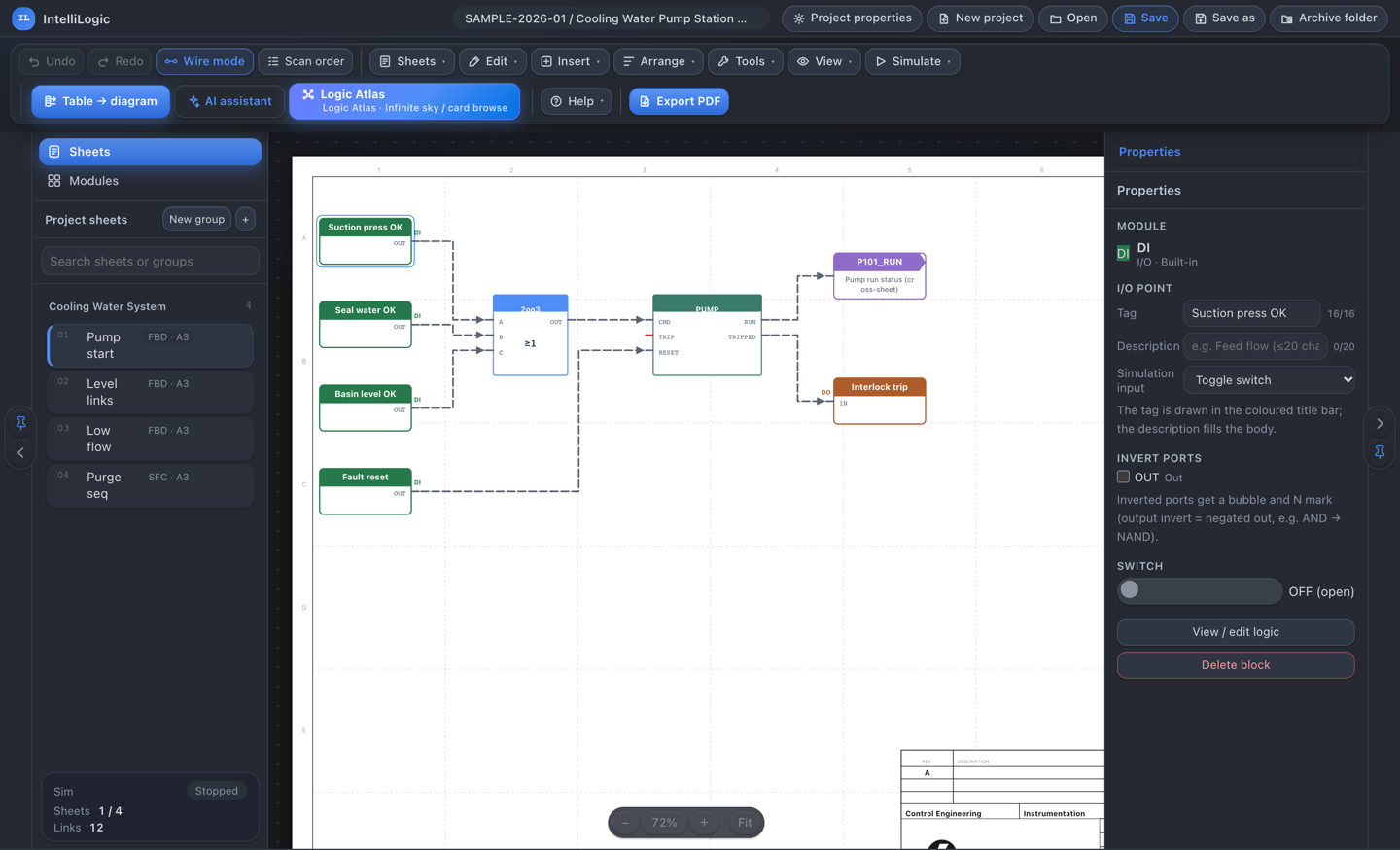
Function blocks snap to a grid and wires route on the orthogonal. Boolean wiring is dashed, analog solid, so a sheet reads correctly before you zoom in.
Macros keep repeated logic in one place. Every block carries its own parameters, and a block placed on a sheet is the same object the program compiles from — there is no separate schematic to keep in sync.
- Orthogonal routing with align and snap
- Boolean dashed, analog solid wire types on one sheet
- Reusable macros for repeated interlock patterns
03I/O and links
I/O points know what they are
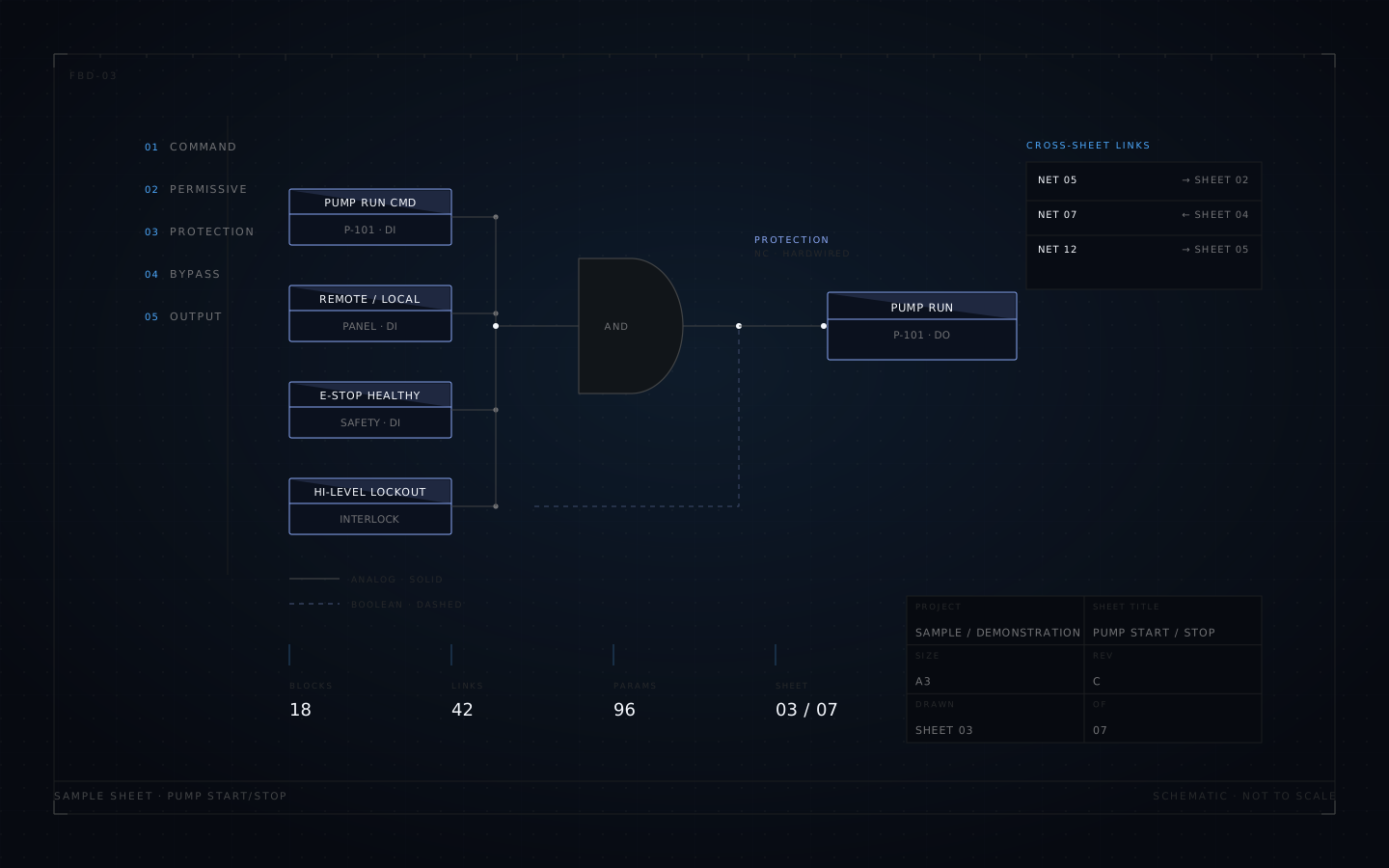
DI, AI, DO and AO blocks are typed, not generic boxes. Each one records how it is driven — toggle, push button, e-stop, selector, slider, numeric or constant — and what its output does: lamp, alarm, pulse or readout.
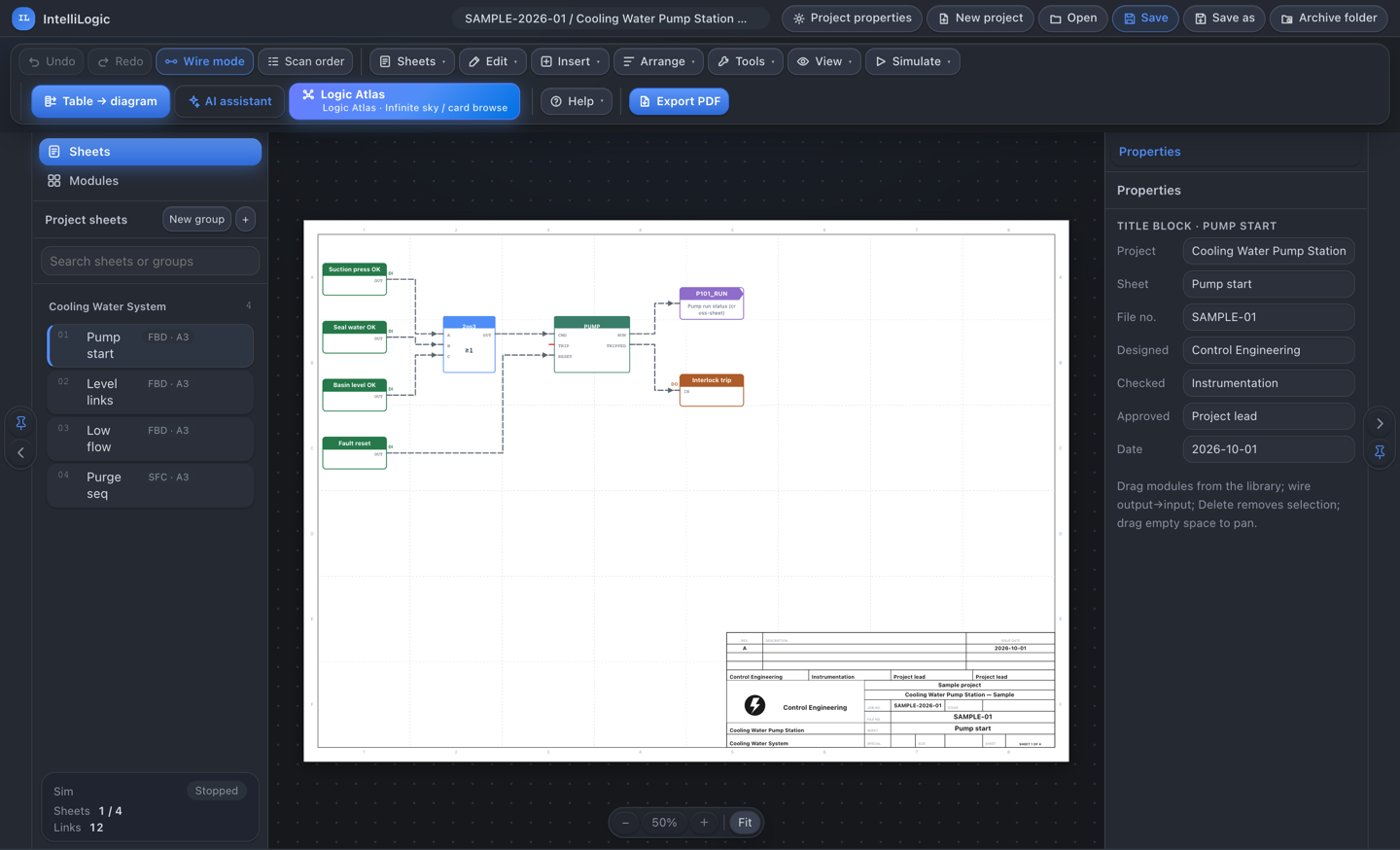
NET→ and →NET blocks share one project-wide link register. A sheet that continues somewhere else is a reference that resolves, not a note someone has to remember.
- Typed I/O blocks with per-type colour and title bars
- Dedicated editors for I/O points and cross-sheet links
- One link register shared across the project
| Link | Type | From | To |
|---|---|---|---|
| NET-05 | BOOL | A3-03 | A3-02 |
| NET-07 | ANALOG | A3-04 | A3-03 |
| NET-12 | BOOL | A3-05 | A3-04 |
| NET-18 | ANALOG | A3-06 | A3-05 |
| NET-21 | BOOL | A3-07 | A3-06 |
Why a register
A NET→ block written on one sheet and a →NET block written on another resolve to the same entry. Renaming or renumbering the link once updates both ends.
04Sequences
Sequences, with the tables engineers actually fill in
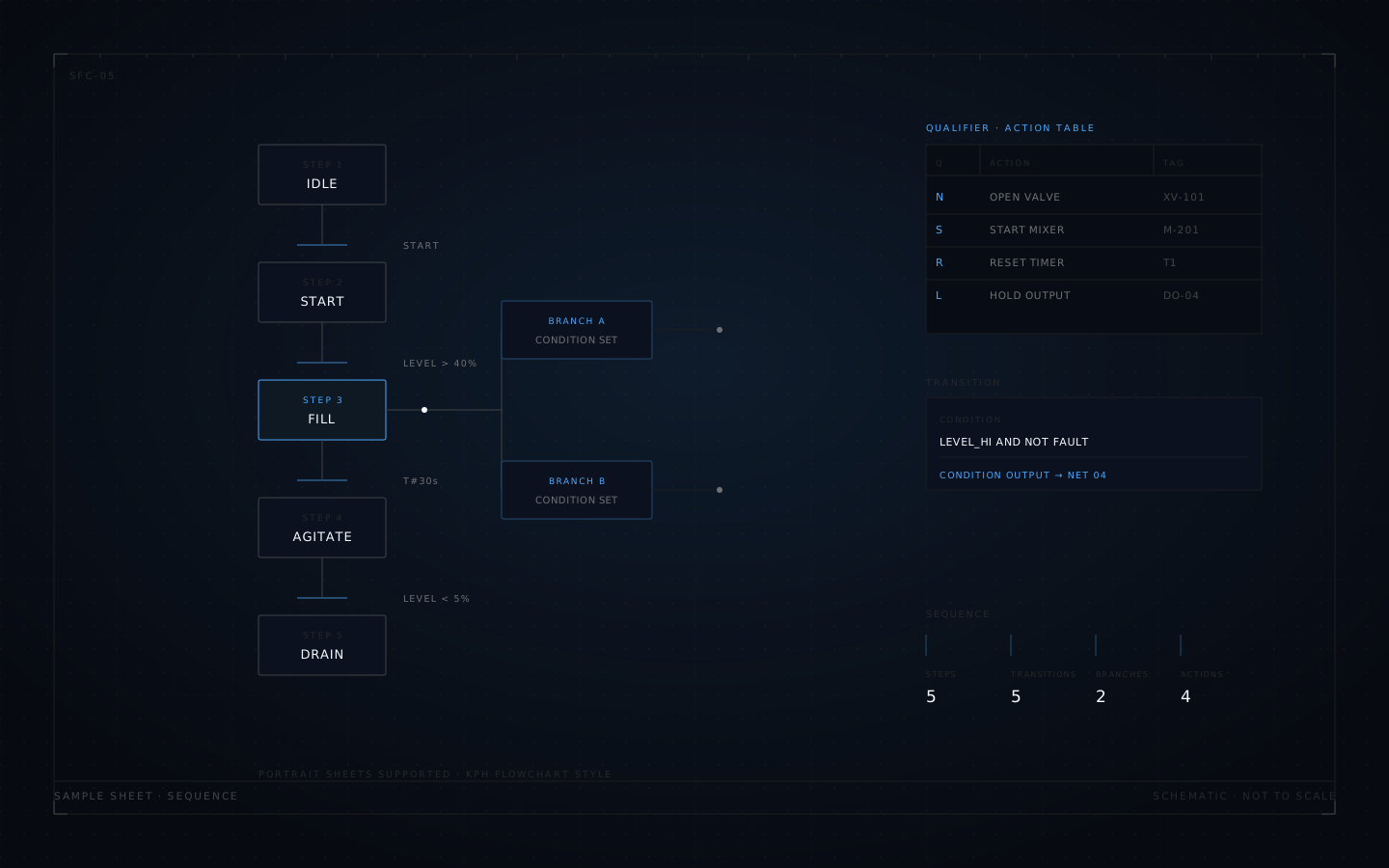
SFC uses the KPH flowchart style, with S7-GRAPH-style action and condition tables written in the N-S-R qualifier notation. Parallel branches and merges, jump loops, and portrait sheets for long sequences.
A transition opens a popup that keeps its condition in an auto-referenced COND output, so the condition is visible on the sheet and still editable in one place.
- N-S-R qualifiers action and condition tables
- Parallel branches and merges, jump loops
- Portrait sheets for long sequences
05Interlock tables
The table is the source. The sheets are the output.
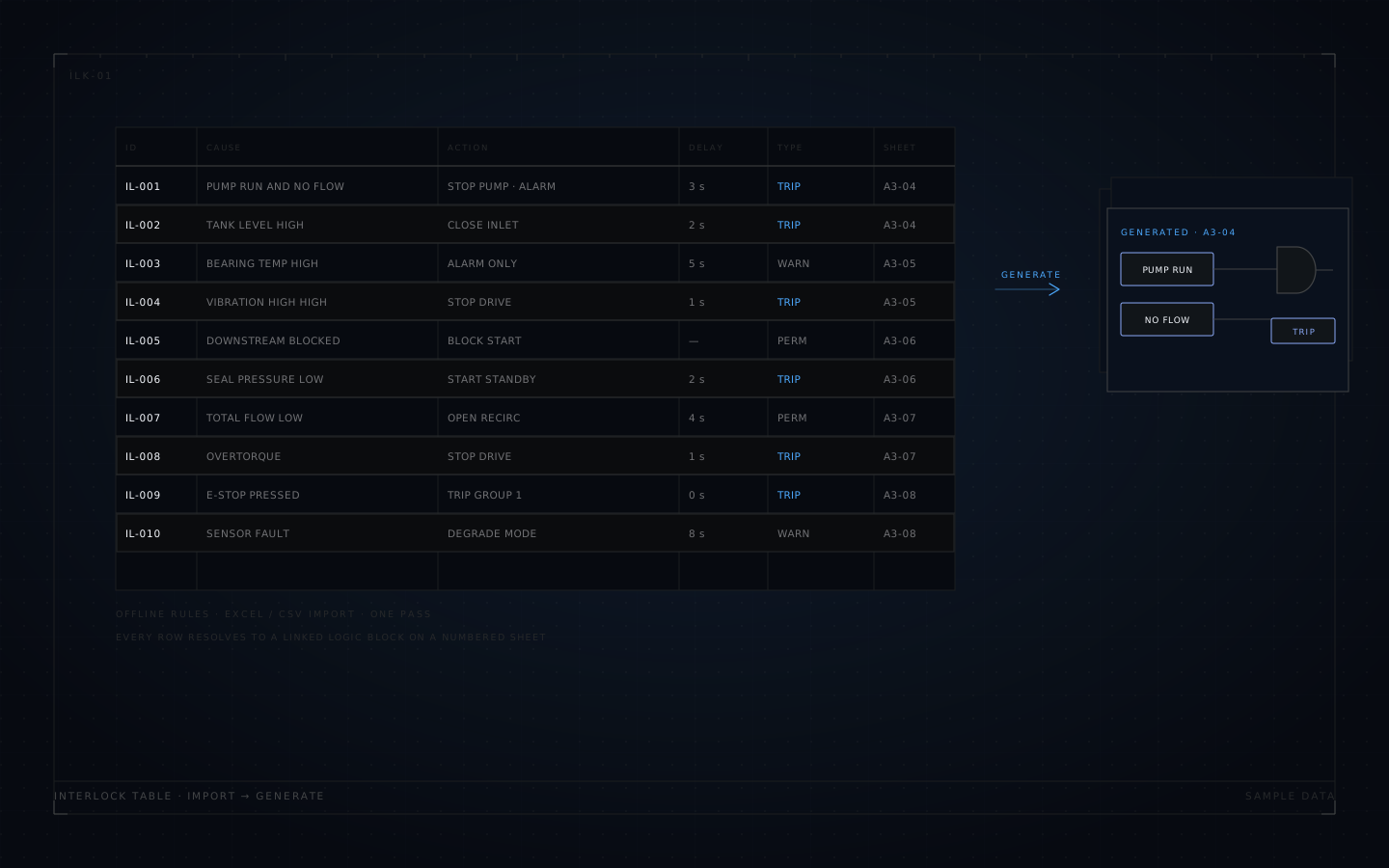
Interlock tables arrive as spreadsheets, so that is where editing starts. Import Excel or CSV, apply offline rules, and generate the logic sheets from the rows. Each row resolves to a linked block on a numbered sheet.
When a row changes, the generated logic follows. The drawing and the table stop drifting apart, which is usually the real source of an as-built that nobody trusts.
06Drawing set
A set of sheets, not a canvas screenshot
Project metadata feeds the title block: project name, sheet name, drawing number, designer, checker, approver, date. Four styles — classic, compact, ISO-lite and narrow — are set per project or applied to all at once.
Sheet numbering and cross-sheet references survive export. Output is a multi-page PDF with optional internal links, or a single HTML file that opens offline, with no install and no server.
Simulation on the wire
Simulation writes one live value per wire — a small pill on the wire itself, boolean or analog, one per fan-out branch. Forcing an input shows the consequence on the sheet instead of in a separate watch table.
It is a design aid, not a controller emulator: values, not scan-cycle-accurate PLC execution.
An assistant that edits, not chats
A cloud model can drive the editor through its own tools, one undoable step at a time — reading sheets, checking links, proposing changes. Every step lands in the undo history like any other edit. It needs a configured model; the editor works without one.
07Logic Atlas
The shape of a program, without opening all of it
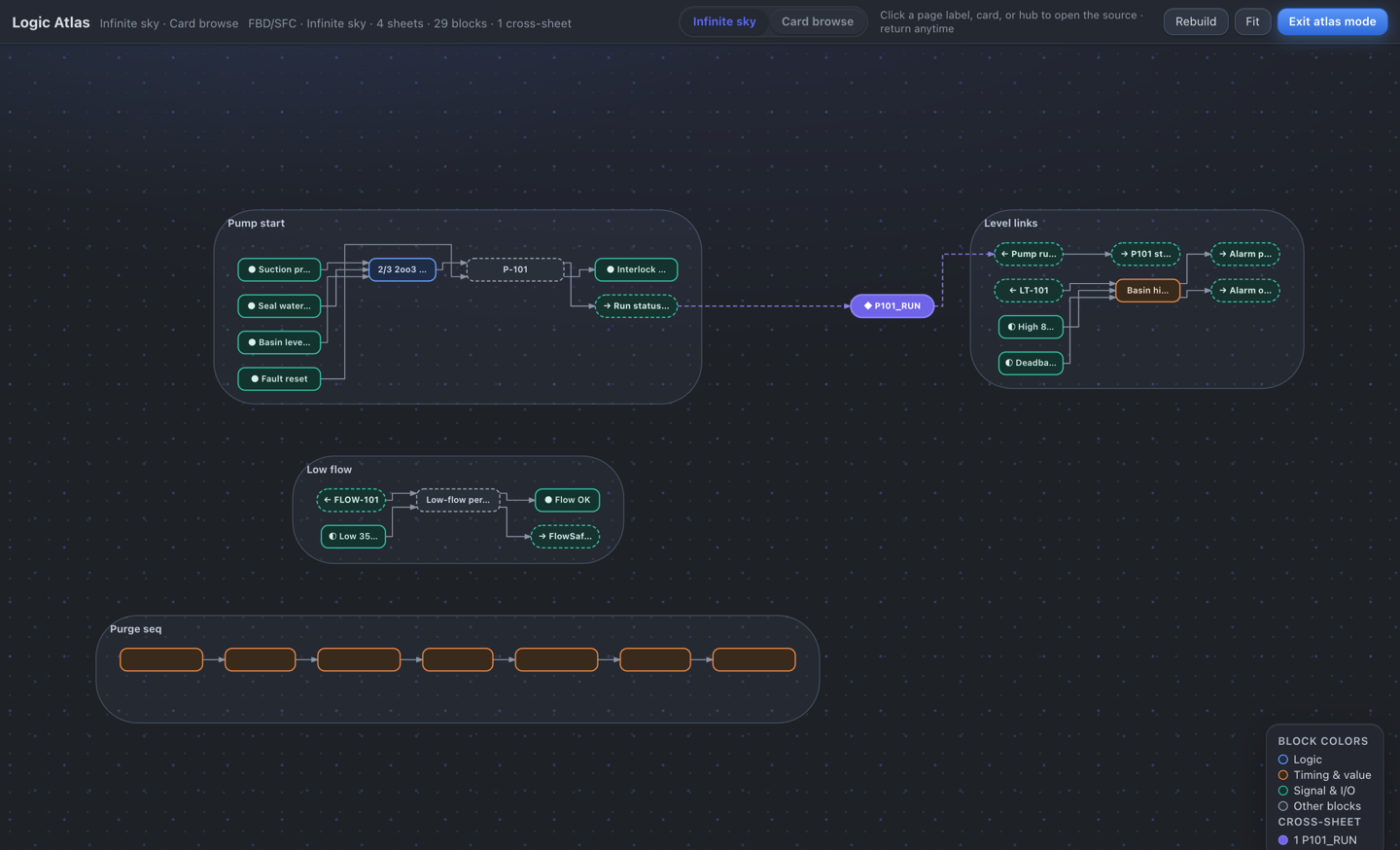
Sheets laid out on a plane as cards, links drawn between them, and a card browse that stays readable when a project grows past a dozen sheets.
08Specification
Build and capability
| Build | File | Size |
|---|---|---|
| macOS arm64 | IntelliLogic_0.60.1_aarch64.dmg | 4.0 MB |
| Windows x64 | IntelliLogic_0.60.1_windows-x64.exe | 5.6 MB |
| Offline web | IntelliLogic_0.60.1.html | 8.5 MB |
Localisation note
Interface in Chinese and English. Menus, dialogs and editors are fully translated; drawing title-block field labels are still Chinese-only, and an English title-block set is on the roadmap.
What it is not
IntelliLogic does not compile or download to a PLC, and it is not a CAD replacement for piping or layout work. It stops at the logic drawing and the interlock table that feeds it.
| Notations | FBD · CFC · SFC |
| Sheet sizes | A4 · A3 · portrait sheets |
| Title blocks | 4 styles, per project or all |
| Output | Multi-page PDF · single-file HTML |
| Simulation | One live value per wire |
| AI assistant | Optional, cloud model |
| UI language | Chinese · English (title-block labels Chinese-only) |
| Pricing | Free during launch · paid edition later |
09Pricing
Free during launch
IntelliLogic is free for a limited period while the launch runs. After that, a paid edition carries later updates and add-on features; the feature split is published when that edition goes on sale.
Download links open when the binary bucket is live. Until then, ask and we will send the installer directly.